How to get a business loan in New Zealand?
Learn how to get a start-up business loan in NZ with no trading history. We cover loan types, requirements, bank vs digital lender costs, and more.


Eager to streamline your business accounting without forking out a subscription fee? If you’ve got modest number-crunching requirements, you might get away with using free accounting software, at least for the time being.
Despite its limitations, free accounting software for small business offers just enough functionality for most sole traders and start-ups to get off the ground. To help you find the right fit, we’re comparing the top options for Kiwi SMBs.
| Table of Contents |
|---|

Small businesses can reap a wide range of benefits from accounting software.
In reality, free accounting software won’t provide all these features. But it should at least track income and expenses, generate IR-compliant invoices, and create basic reports.
For bank integrations, high-level financial reporting, and automated tax filings, you need a premium version. Learn more about the best paid accounting software for small businesses in New Zealand.
Keep the following considerations in mind when weighing up your options.

Will your software even work in New Zealand? Some free accounting programs recommended for Kiwis online, such as Wave Accounting1, don’t even serve the New Zealand market.
You need to be able to calculate, track, and apply 15% GST across all your invoices.
To stay compliant, you might also need to include GST-inclusive or exclusive amounts, goods descriptions, date of sale, your GST number, and the buyer’s GST number, depending on the value of the goods.2
Accounting software made specifically for the New Zealand market or adapted for local use can make compliance much less stressful.
Many free accounting programs set intentional limits to nudge businesses onto a premium plan.
Common paywall barriers include restrictions on the number of users, clients, monthly invoices, or monthly/annual revenue. Others might restrict key features like bank integrations. Check whether the restrictions suit your short- to medium-term needs before signing up.
You can’t expect high-level analytics on a free service. But at a minimum, you at least want basic Profit & Loss (P&L) statements and a balance sheet. Expense categorisation is a nice-to-have, as it makes your end-of-year tax deductions less stressful.
Here’s a snapshot of some of the top free accounting software catering for Kiwis.
| Provider | Best for | Need to know |
|---|---|---|
| Zoho Books3,4 | Side hustles | 1 user, AUD$50k revenue cap |
| Odoo Accounting5,6,7 | Tech-savvy or scaling businesses wanting a full ERP | Steep learning curve; invoicing/expenses require premium |
| GnuCash8 | Budget-oriented or security-conscious users | Free, fully offline, single-device only |
| Manager.io9 | Free NZ bank feeds | No NZ localisation |
| Gimbla10 | Uncapped free tier with NZ localisation | Bank feeds payment paywall; limited integrations |
Zoho Books is one of the few big-name accounting programs with a free tier. While it doesn’t have a specific New Zealand website, Kiwis can sign up through the Australia site and manually create a template for 15% GST-compliant invoices.
Free-tier Zoho features include receipt auto-scans, a customer portal, payment reminders, 1,000 customisable annual invoices, expense & mileage tracking, manual bank and credit card account or statement imports, reconciliations, reports, and payment gateways.
That’s good value for $0. The catch is that limitations are strict (1 user/accountant and AUD$50,000/year revenue), making the free version more suitable for side hustlers and start-ups rather than breadwinning businesses.3
ZohoBooks makes sense for users already familiar with the Zoho ecosystem. However, businesses planning to upgrade as they scale should note that Zoho New Zealand bank integrations have been proving problematic.4
**Odoo Accounting<**sup>5 forms part of the Odoo ERP (Enterprise Resource Planning) platform.
Packed full of high-level features, Odoo Accounting may suit tech-savvy entrepreneurs or small business owners looking to streamline reconciliations, tax returns, and reporting. It could also appeal to small, scaling businesses looking to integrate their accounting software into a broader enterprise environment.
The Odoo ERP offers a massive range of tools covering sales, HR, logistics, productivity, web design, and digital marketing – essentially anything a growing business might need.
Odoo Accounting claims AI-powered invoice data capture with a 98% recognition rate. Bookkeeping features include receipt scanning, automated follow-ups, and real-time reporting. Odoo has New Zealand localisations to streamline taxes and GST. It also supports real-time synchronisations with 28,000 banks worldwide.6
Odoo offers 1 app for free with unlimited users, only charging a monthly subscription once you start using 2 or more apps.7 The catch is Odoo divides its financial services into 5 sections: accounting, invoicing, expenses, sign, spreadsheets. So if you want to use invoicing or expense tracking along with accounting, it’s no longer free.
The Odoo learning curve is also quite steep compared to some competitors.
GnuCash8 is a completely free General Public License (GPL) accounting program with no limitations, hidden fees, or upgrade pressure. The volunteer developer-run project is a rarity in our commercialised online world.
GnuCash works with most major operating systems, including Windows and Mac, and lets you track accounts, income and expenses, balance your books, and generate reports. Listed features include double-entry accounting, stock/bond/mutual/fund accounts, graph reports, financial calculations, scheduled transactions, and QIF/OFX/HBCI imports.
GnuCash stores its QIF and OFX data locally on your hard drive, making it a fully offline solution with no cloud-based storage. That could appeal to users concerned about online security.
On the downside, offline accounting means you can only manage records from one fixed device – no mobile or on-the-go adjustments. GnuCash lacks the option to scale to automated bank feeds and has a steep learning curve compared to other apps.
Manager.io9 offers a free desktop version for offline accounting, as well as paid cloud and server-based accounting solutions. The program offers free bank feeds to Australian and New Zealand banks, a rare and potentially appealing feature, even though some manual intervention may be required.
The Manager.io desktop version has no data, time, or usage limitations, and works across multiple operating systems. The downside is it’s primarily tailored to Australian businesses. Kiwi companies could still create GST-inclusive invoices but may not receive the same compliance support as fully localised programs.
Gimbla10 offers a huge range of inclusions on its free ‘Starter’ tier, potentially enough to keep some small businesses content long-term.
Starter users get unlimited GST-compliant invoices and quotes, purchase orders and bills, payments and receipts, and users. Other free-tier features include accounts receivable and payable, bank account reconciliation, double-entry bookkeeping, GST tracking, financial reporting, and automatic daily backups.
Unlike ZohoBooks, the Gimbla free tier has no hidden fees, trial periods, or revenue or team size limitations. Upgrading to a paid tier (AUD$19.95/month) gives you perks like storage, multi-currency support, and recurring invoices. Importantly, premium lets you connect up to 2 bank accounts.
Setup is quick and easy, and the Australian-based developer created a localised New Zealand version to cover our unique tax regulations. As it is a smaller, lesser-known program, Gimbla may have fewer third-party integrations than mainstream accounting programs.
With low, transparent pricing at the ‘real’ mid-market exchange rate, Wise Business can help Kiwis save when sending and receiving money from overseas.
No need to tackle manual admin. Wise Business integrates with most major accounting programs – including Zoho Books and Odoo – to automate transaction syncing, track multi-currency transactions, and reconcile accounts.
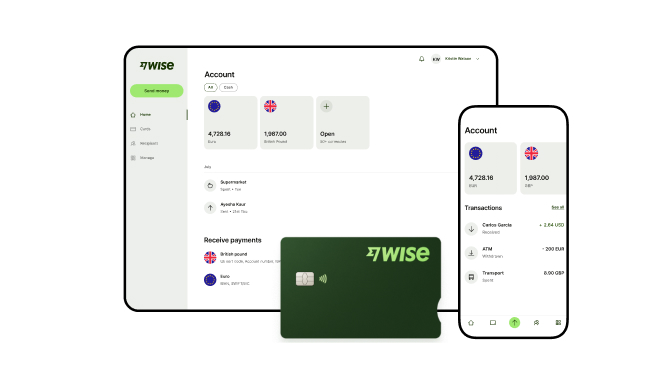
A Wise Business account allows users to send, receive, and hold in multiple currencies. Experience hassle-free global transactions by transacting like a local business. Here's what you get with a Wise Business account:
Sign up for the Wise Business account! 🚀
This is not financial or investment advice - Wise has not taken into account your objectives, financial circumstances or needs and you should consider if it is appropriate for you.
1. Does free accounting software connect to NZ bank accounts?
Not usually. Most accounting software that lets you connect a NZ bank account requires a subscription. Manager.io is an exception with free NZ bank feeds, though limitations apply.
2. How long must New Zealand businesses keep accounting records?
New Zealand businesses must keep accounting records for at least 7 years.11
*Please see terms of use and product availability for your region or visit Wise fees and pricing for the most up to date pricing and fee information.
This publication is provided for general information purposes and does not constitute legal, tax or other professional advice from Wise Payments Limited or its subsidiaries and its affiliates, and it is not intended as a substitute for obtaining advice from a financial advisor or any other professional.
We make no representations, warranties or guarantees, whether expressed or implied, that the content in the publication is accurate, complete or up to date.

Learn how to get a start-up business loan in NZ with no trading history. We cover loan types, requirements, bank vs digital lender costs, and more.